
Find
Bring your leads from wherever they are.
A CSV, an Excel file, a few pasted websites, one at a time or via the API.
How it works
-
1
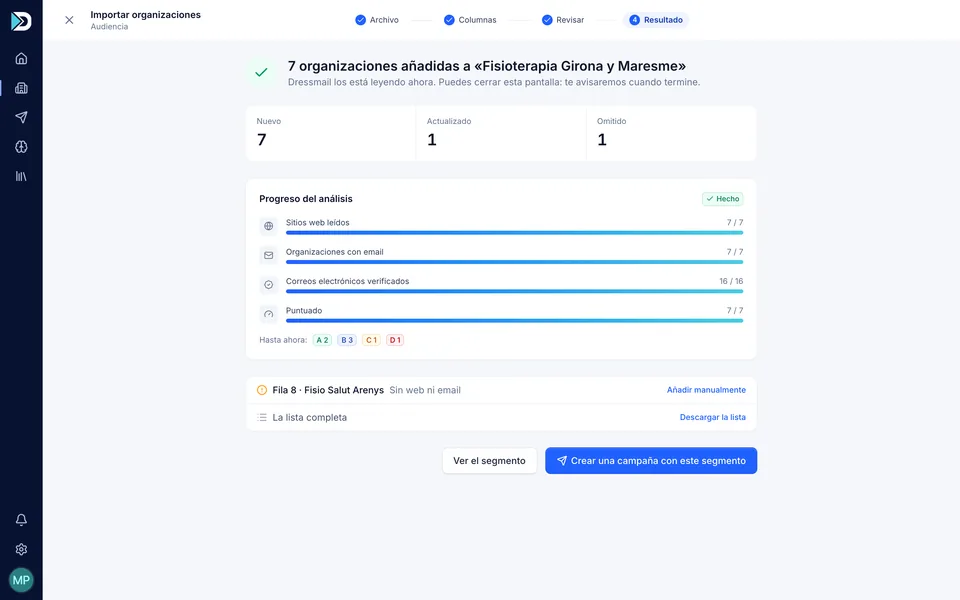
Upload the file and Dressmail suggests which column matches each field.
-
2
It detects duplicates by domain and by email address, normalized.
-
3
Watch the import happen live; any rows that fail can be downloaded as a CSV so you can fix them.
-
4
You can also paste in a list of websites or add a company by hand.
Your list, without cleaning it up by hand.
Under the hood
Segments to organize your lists, each with a description the AI can use as context, an average score and a contact count. They export to CSV.
What it doesn’t do
It doesn’t have dynamic rule-based segments or sync automatically with a CRM; that’s what the API is for.
Limits by plan
Leads analyzed per month: 50 on the trial, 1,500 on Starter and 3,500 on Growth. You can upload up to 100,000 organizations on Starter and 250,000 on Growth; whatever doesn’t fit in the month waits in the queue.

Early access
Stop sending emails nobody answers.
Create your account and get started today. The first 50 customers pay half, with a 7-day free trial, no card and no lock-in.
Not convinced? Take your data with you.